Torrent details for "Udemy Datapump Expdp Impdp Course For Oracle DBA s" Log in to bookmark
Controls:
×
Report Torrent
Please select a reason for reporting this torrent:
Your report will be reviewed by our moderation team.
×
Report Information
Loading report information...
This torrent has been reported 0 times.
Report Summary:
| User | Reason | Date |
|---|
Failed to load report information.
×
Success
Your report has been submitted successfully.
Checked by:
Category:
Language:
English
Total Size:
2.4 GB
Info Hash:
4E6FDF4FB4790846192E65ED9F51F69601C51432
Added By:
Added:
Oct. 24, 2023, 4:17 p.m.
Stats:
|
(Last updated: May 15, 2025, 3:31 p.m.)
| File | Size |
|---|---|
| Get Bonus Downloads Here.url | 177 bytes |
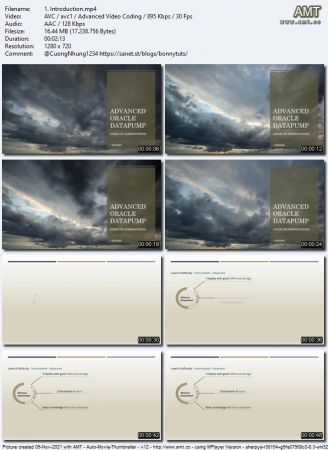
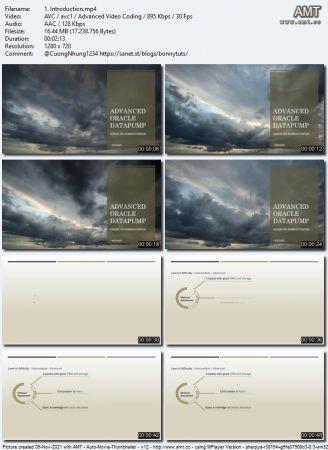
| 1. Introduction.mp4 | 16.4 MB |
| 1. Introduction.srt | 2.6 KB |
| 1. Creating parfile.mp4 | 15.3 MB |
| 1. Creating parfile.srt | 4.9 KB |
| 1. Working on datapump exportimport command prompt.mp4 | 167.8 MB |
| 1. Working on datapump exportimport command prompt.srt | 16.2 KB |
| 1.1 datapump operations.txt | 419 bytes |
| 1. Export data across multiple dumpfiles.mp4 | 50.1 MB |
| 1. Export data across multiple dumpfiles.srt | 5.8 KB |
| 1. Estimate the object size with expdp.mp4 | 101.1 MB |
| 1. Estimate the object size with expdp.srt | 9.1 KB |
| 1. Spread dumpfile across multiple disks.mp4 | 95.0 MB |
| 1. Spread dumpfile across multiple disks.srt | 10.0 KB |
| 1. Different scenarios part 1 (export the data).mp4 | 141.2 MB |
| 1. Different scenarios part 1 (export the data).srt | 12.8 KB |
| 1.1 EXPDP_IMPDP scenarios.txt | 1.6 KB |
| 2. Scenario 3 Import table to same schema in different database server.mp4 | 91.7 MB |
| 2. Scenario 3 Import table to same schema in different database server.srt | 8.0 KB |
| 3. Scenario 4 (import table to different schema).mp4 | 35.8 MB |
| 3. Scenario 4 (import table to different schema).srt | 3.3 KB |
| 4. Scenario 3,4 (import table to same-different schema with new name).mp4 | 47.1 MB |
| 4. Scenario 3,4 (import table to same-different schema with new name).srt | 4.5 KB |
| 5. INCLUDE and EXCLUDE parameter options.mp4 | 84.8 MB |
| 5. INCLUDE and EXCLUDE parameter options.srt | 6.9 KB |
| 6. Scenario 8(Export multiple tables except few).mp4 | 85.8 MB |
| 6. Scenario 8(Export multiple tables except few).srt | 6.3 KB |
| 1. Export views in the form of tables.mp4 | 74.6 MB |
| 1. Export views in the form of tables.srt | 7.5 KB |
| 1. ORA-00054 Locking issues during import.mp4 | 103.0 MB |
| 1. ORA-00054 Locking issues during import.srt | 8.8 KB |
| 1. Monitor datapump statistics after each object type completion.mp4 | 11.0 MB |
| 1. Monitor datapump statistics after each object type completion.srt | 2.4 KB |
| 1. Data transfer through network.mp4 | 88.9 MB |
| 1. Data transfer through network.srt | 10.4 KB |
| 2. Monitor network traffic.mp4 | 133.0 MB |
| 2. Monitor network traffic.srt | 10.1 KB |
| 2.1 tcpdatasize.sh | 215 bytes |
| 1. Install OEL 7.8 in virtualbox.mp4 | 27.3 MB |
| 1. Install OEL 7.8 in virtualbox.srt | 5.2 KB |
| 2. Virtual box configuration for OEL 7.8.mp4 | 6.1 MB |
| 2. Virtual box configuration for OEL 7.8.srt | 1.3 KB |
| 3. Configure network adapters.mp4 | 5.5 MB |
| 3. Configure network adapters.srt | 1.3 KB |
| 4. Enable IP address in OEL server.mp4 | 20.9 MB |
| 4. Enable IP address in OEL server.srt | 4.4 KB |
| 5. Configure putty.mp4 | 10.7 MB |
| 5. Configure putty.srt | 2.4 KB |
| 6. Download Oracle 12c preinstall using yum.mp4 | 19.6 MB |
| 6. Download Oracle 12c preinstall using yum.srt | 2.0 KB |
| 1. Import master table.mp4 | 19.2 MB |
| 1. Import master table.srt | 1.8 KB |
| 2. Find out datapump command history of job.mp4 | 25.2 MB |
| 2. Find out datapump command history of job.srt | 3.3 KB |
| 3. Peek the contents in master table for impdp job.mp4 | 43.3 MB |
| 3. Peek the contents in master table for impdp job.srt | 3.8 KB |
| 1. Compression levels and their tradeoffs.mp4 | 101.9 MB |
| 1. Compression levels and their tradeoffs.srt | 6.6 KB |
| 1. Copy file from windows to linux vm.mp4 | 8.3 MB |
| 1. Copy file from windows to linux vm.srt | 1.7 KB |
| 2. Oracle database software installation.mp4 | 21.6 MB |
| 2. Oracle database software installation.srt | 4.9 KB |
| 2.1 Oracle database 12c software file (database.tar).html | 143 bytes |
| 1. Install Oracle database 12cR1.mp4 | 40.5 MB |
| 1. Install Oracle database 12cR1.srt | 3.3 KB |
| 1. Basic prechecks to perform.mp4 | 135.5 MB |
| 1. Basic prechecks to perform.srt | 18.3 KB |
| 1.1 datapump basic prechecks.txt | 2.6 KB |
| 2. Roles for datapump.mp4 | 27.2 MB |
| 2. Roles for datapump.srt | 2.5 KB |
| 3. Mandatory parameters for datapump.mp4 | 134.9 MB |
| 3. Mandatory parameters for datapump.srt | 14.7 KB |
| 1. Clone vm for dpprod.mp4 | 7.3 MB |
| 1. Clone vm for dpprod.srt | 1.3 KB |
| 2. Configure ip address for dpprod.mp4 | 15.6 MB |
| 2. Configure ip address for dpprod.srt | 2.0 KB |
| 3. Configure listener and tnsnames file for dpprod.mp4 | 5.2 MB |
| 3. Configure listener and tnsnames file for dpprod.srt | 1.0 KB |
| 1. Database rename from dptest to dpprod using NID.mp4 | 38.3 MB |
| 1. Database rename from dptest to dpprod using NID.srt | 3.3 KB |
| 2. Changing the init files to dpprod.mp4 | 64.6 MB |
| 2. Changing the init files to dpprod.srt | 3.9 KB |
| 1. Create a sample table for monitoring.mp4 | 16.6 MB |
| 1. Create a sample table for monitoring.srt | 1.6 KB |
| 2. Monitor datapump by different ways.mp4 | 128.0 MB |
| 2. Monitor datapump by different ways.srt | 9.8 KB |
| 1. Enable trace for master and worker process of datapump job.mp4 | 151.7 MB |
| 1. Enable trace for master and worker process of datapump job.srt | 11.1 KB |
| 1.1 datapump trace map.xlsx | 10.2 KB |
| Bonus Resources.txt | 357 bytes |
Name
DL
Uploader
Size
S/L
Added
NOTE
SOURCE: Udemy Datapump Expdp Impdp Course For Oracle DBA s
-----------------------------------------------------------------------------------
COVER
-----------------------------------------------------------------------------------
MEDIAINFO
None




×