Torrent details for "Linkedin Illustrator One on One Mastery 2021" Log in to bookmark
Controls:
×
Report Torrent
Please select a reason for reporting this torrent:
Your report will be reviewed by our moderation team.
×
Report Information
Loading report information...
This torrent has been reported 0 times.
Report Summary:
| User | Reason | Date |
|---|
Failed to load report information.
×
Success
Your report has been submitted successfully.
Checked by:
Category:
Language:
English
Total Size:
3.9 GB
Info Hash:
580C1A27FEEEAF69F1E585F1ED5D7D701C236CEA
Added By:
Added:
Oct. 24, 2023, 4:21 p.m.
Stats:
|
(Last updated: May 15, 2025, 3:26 p.m.)
| File | Size |
|---|---|
| Get Bonus Downloads Here.url | 179 bytes |
| Bonus Resources.txt | 357 bytes |
| Customize your panels.ai | 206.5 KB |
| Hexagons to honeycomb.ai | 782.4 KB |
| Welcome.ai | 2.6 MB |
| Installing dekeKeys for Illustrator.ai | 134.7 KB |
| AI Mac defaults.pdf | 3.0 MB |
| AI Win defaults.pdf | 3.0 MB |
| dekeKeys AI Mac.pdf | 3.3 MB |
| dekeKeys AI Win.pdf | 3.3 MB |
| dekeKeys Illustrator Mac.kys | 55.6 KB |
| dekeKeys Illustrator Win.kys | 62.5 KB |
| C&D reception invite.ai | 1.6 MB |
| Expanded path outlines.ai | 2.7 MB |
| Installing dekeKeys for Illustrator 2019.ai | 196.8 KB |
| Text Zeppelin.ai | 441.8 KB |
| Atom at an angle.ai | 175.1 KB |
| Base file.ai | 10.5 MB |
| Blend modes.ai | 10.5 MB |
| Blue & beautiful.ai | 164.9 KB |
| Comparative file.ai | 10.2 MB |
| Difference text.ai | 10.3 MB |
| Flat image.jpg | 3.4 MB |
| Great floating head.ai | 10.5 MB |
| Image export.psd | 93.8 MB |
| Initial stripes.ai | 10.3 MB |
| Line knocked out.ai | 10.3 MB |
| Luminosity + Hue.ai | 10.5 MB |
| Masked tattoo.ai | 10.7 MB |
| Needs masking.ai | 10.3 MB |
| Photoshop modifications.psd | 81.3 MB |
| Pixel mask.tif | 8.4 MB |
| Striped glasses.ai | 10.3 MB |
| Tattoo final.ai | 22.5 MB |
| Tattoo you too.ai | 18.9 MB |
| The HSB color model.ai | 328.6 KB |
| A mess so far.ai | 16.3 MB |
| Art-brushed type.ai | 1.1 MB |
| Better letterstrokes.ai | 15.9 MB |
| Bristle brushstroke.ai | 1.3 MB |
| Brush project practice.ai | 26.2 MB |
| Calligraphic type.ai | 782.8 KB |
| Chalk alternatives.ai | 15.8 MB |
| Expanded floral bulbs.ai | 16.3 MB |
| Final denim effect.ai | 16.3 MB |
| Just denim.ai | 741.2 KB |
| Now in Minion Pro Bold.ai | 15.9 MB |
| Scatter flower brush.ai | 13.7 MB |
| Scribbly corners.ai | 15.9 MB |
| Text as art brushes.ai | 16.3 MB |
| The word Kruch.ai | 780.5 KB |
| Ambitious pattern.ai | 334.0 KB |
| Auto-Between.ai | 1.6 MB |
| Auto-Centered.ai | 1.6 MB |
| Auto-Overlap.ai | 1.7 MB |
| Auto-Sliced.ai | 1.6 MB |
| Awesome auto corners.ai | 1.8 MB |
| Big Z on denim.ai | 1.9 MB |
| Blank doc.ai | 700.3 KB |
| Complete with windows.ai | 269.2 KB |
| Cosmic cube.ai | 207.7 KB |
| Denim with big gaps.ai | 787.7 KB |
| Fly-away cubes.ai | 650.1 KB |
| Glowing dualism.ai | 496.9 KB |
| Grinning teeth.ai | 227.0 KB |
| How to fill the gaps.ai | 242.9 KB |
| Isometric arrows.ai | 274.5 KB |
| Now with hair.ai | 225.2 KB |
| Orange circles.ai | 240.2 KB |
| Pattern with gaps.ai | 243.2 KB |
| Ready for tessellation.ai | 243.6 KB |
| Redrawn arrows.ai | 198.0 KB |
| Something better.ai | 497.3 KB |
| Super cubes.ai | 653.9 KB |
| Updated pattern.ai | 235.9 KB |
| Very basic pattern.ai | 224.0 KB |
| Wall-to-wall blue jeans.ai | 786.6 KB |
| Yin yang cubes.ai | 614.3 KB |
| All done but the shadow.ai | 1.7 MB |
| Around grill.psd | 3.8 MB |
| Blue luxury sedan-x.ai | 2.3 MB |
| Car body.psd | 4.1 MB |
| Car path outlines.ai | 1.2 MB |
| Cloudy windows.psd | 2.9 MB |
| Gigantic bacterium.ai | 483.8 KB |
| Happy little clouds.ai | 1.5 MB |
| Headlight colors.psd | 3.4 MB |
| Hood colors.psd | 1.6 MB |
| Lots of rows & columns.ai | 1.3 MB |
| Luminous headlight.ai | 1.4 MB |
| Mesh vs anchor points.psd | 9.2 MB |
| Mess of a mesh.ai | 1.3 MB |
| Near-complete body.ai | 1.6 MB |
| Opaque windshield.ai | 1.4 MB |
| Partially painted body.ai | 1.5 MB |
| Precision gradient turned to mesh.ai | 1.5 MB |
| Rasterized luxury sedan.tif | 6.2 MB |
| Rearview mirror.ai | 1.3 MB |
| Reflective hood.ai | 1.4 MB |
| Russian Audi.jpg | 2.0 MB |
| Static hood shape.ai | 1.3 MB |
| Translucent windshield.ai | 1.4 MB |
| Very exacting gradient.psd | 548.1 KB |
| Windshield colors.psd | 2.3 MB |
| Animated bones.ai | 672.1 KB |
| Backup copy.ai | 677.8 KB |
| Before & after triceratops.ai | 1.6 MB |
| Bony fish.ai | 783.7 KB |
| Colorful fish.ai | 1.5 MB |
| Enhanced tail.ai | 1.8 MB |
| Flexible flier.ai | 590.6 KB |
| Happy octopus.ai | 261.5 KB |
| Mechanical bird.ai | 677.8 KB |
| Octomoji.ai | 280.3 KB |
| Raised head & tail.ai | 901.5 KB |
| Rippling motion.ai | 1.8 MB |
| Tiny triceratops.ai | 1.0 MB |
| Triceratops.ai | 1.1 MB |
| Warpedtopus.ai | 266.7 KB |
| Accurate if ugly graph.ai | 200.3 KB |
| All but the legend.ai | 357.1 KB |
| Boring bar graph.ai | 193.4 KB |
| Facebook designs.ai | 211.1 KB |
| Improperly graphed years.ai | 193.3 KB |
| Legend at top.ai | 205.8 KB |
| Lone headline.ai | 172.9 KB |
| Lots of little icons.ai | 536.2 KB |
| Social media compared.ai | 382.8 KB |
| Social media data.xls | 25.5 KB |
| Tab-delimited data.txt | 136 bytes |
| Vertical column graph.ai | 202.7 KB |
| Years with quotes.txt | 134 bytes |
| At pattern.ai | 216.6 KB |
| Attic 16808862.jpg | 8.1 MB |
| Bullseye logo.ai | 167.2 KB |
| Complementary rings.ai | 170.8 KB |
| Construction paths.ai | 197.1 KB |
| Flag-style warp.ai | 385.5 KB |
| Gradient type.ai | 283.3 KB |
| Happy emoji.ai | 1.2 MB |
| Letter-shaped gradients.ai | 3.8 MB |
| Lone @ symbol.ai | 136.7 KB |
| Letter-shaped gradients.ai | 3.8 MB |
| Plain soy.ai | 193.8 KB |
| Shiny soy.ai | 9.6 MB |
| Plain soy.ai | 191.1 KB |
| Rotated letters.ai | 347.5 KB |
| Shiny soy.ai | 8.3 MB |
| So much joy.ai | 7.5 MB |
| The attic awaits.ai | 30.2 MB |
| Type as path outlines.ai | 29.3 MB |
| XYZ.ai | 158.9 KB |
| Yellow type.ai | 28.9 MB |
| Attention.ai | 3.4 MB |
| Beveled notes.ai | 4.5 MB |
| Big yellow ring.ai | 17.4 MB |
| Can with logo.ai | 1.8 MB |
| Extrude & arch.ai | 5.1 MB |
| Flat-looking notes.ai | 2.6 MB |
| Initial soda can.ai | 1.8 MB |
| More interesting lighting.ai | 3.3 MB |
| Plausible shadow.ai | 3.6 MB |
| Purple notes.ai | 164.7 KB |
| Soda can paths.ai | 224.0 KB |
| Soda-10.ai | 15.5 MB |
| Striped green ball.ai | 2.3 MB |
| The word Dimension.ai | 525.7 KB |
| Unknowable object.ai | 6.3 MB |
| Worlds yummiest beverage.ai | 2.4 MB |
| [10] Mapping a logo or other art onto a 3D object.mp4 | 24.5 MB |
| [10] Mapping a logo or other art onto a 3D object.srt | 16.2 KB |
| [11] Enhancing 3D artwork with faux 3D effects.mp4 | 30.7 MB |
| [11] Enhancing 3D artwork with faux 3D effects.srt | 18.8 KB |
| [12] Combining a stroke with 3D Revolve.mp4 | 29.6 MB |
| [12] Combining a stroke with 3D Revolve.srt | 19.0 KB |
| [1] The five advantages to 3D in Illustrator.mp4 | 9.9 MB |
| [1] The five advantages to 3D in Illustrator.srt | 2.0 KB |
| [2] Introduction to the three kinds of 3D in Illustrator.mp4 | 19.4 MB |
| [2] Introduction to the three kinds of 3D in Illustrator.srt | 12.8 KB |
| [3] Working in 3D space Pitch, yaw, and roll.mp4 | 10.9 MB |
| [3] Working in 3D space Pitch, yaw, and roll.srt | 8.0 KB |
| [4] Lighting and shading a 3D object.mp4 | 13.7 MB |
| [4] Lighting and shading a 3D object.srt | 11.3 KB |
| [5] Beveling the edges of a 3D extrusion.mp4 | 9.6 MB |
| [5] Beveling the edges of a 3D extrusion.srt | 6.5 KB |
| [6] Creating live, editable 3D type.mp4 | 25.0 MB |
| [6] Creating live, editable 3D type.srt | 16.1 KB |
| [7] Adding cast shadows to 3D type.mp4 | 16.6 MB |
| [7] Adding cast shadows to 3D type.srt | 10.4 KB |
| [8] Understanding the 3D Revolve effect.mp4 | 20.8 MB |
| [8] Understanding the 3D Revolve effect.srt | 14.3 KB |
| [9] Using 3D Revolve to create a soda can.mp4 | 23.0 MB |
| [9] Using 3D Revolve to create a soda can.srt | 17.5 KB |
| [1] Until next time.mp4 | 13.6 MB |
| [1] Until next time.srt | 2.5 KB |
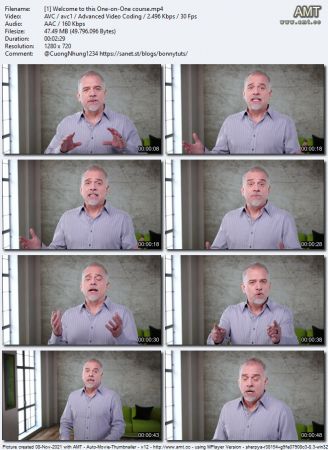
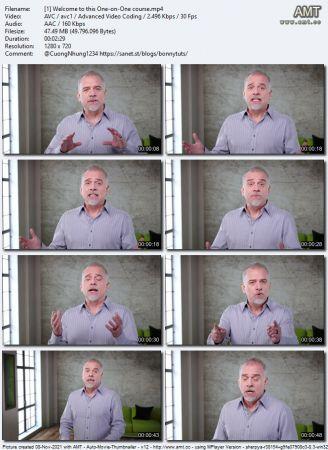
| [1] Welcome to this One-on-One course.mp4 | 47.5 MB |
| [1] Welcome to this One-on-One course.srt | 3.9 KB |
| [2] Previously on Illustrator One-on-One.mp4 | 26.3 MB |
| [2] Previously on Illustrator One-on-One.srt | 14.1 KB |
| [1] Becoming a lean, mean illustration machine.mp4 | 13.8 MB |
| [1] Becoming a lean, mean illustration machine.srt | 2.7 KB |
| [2] Installing custom dekeKeys shortcuts.mp4 | 29.8 MB |
| [2] Installing custom dekeKeys shortcuts.srt | 11.9 KB |
| [3] Loading and using dekeKeys.mp4 | 13.3 MB |
| [3] Loading and using dekeKeys.srt | 6.9 KB |
| [4] Welcome to the dekeKeys PDF docs.mp4 | 25.9 MB |
| [4] Welcome to the dekeKeys PDF docs.srt | 12.7 KB |
| [5] Three out of the hundred custom shortcuts.mp4 | 20.4 MB |
| [5] Three out of the hundred custom shortcuts.srt | 11.5 KB |
| [6] Still more time-saving shortcuts.mp4 | 31.5 MB |
| [6] Still more time-saving shortcuts.srt | 18.0 KB |
| [7] Creating your own custom shortcuts.mp4 | 24.8 MB |
| [7] Creating your own custom shortcuts.srt | 15.5 KB |
| [8] Tool, transparency, and panel shortcuts.mp4 | 24.7 MB |
| [8] Tool, transparency, and panel shortcuts.srt | 14.3 KB |
| [9] Creating your own custom Toolbox.mp4 | 26.6 MB |
| [9] Creating your own custom Toolbox.srt | 18.2 KB |
| [10] Carving dynamic holes with Knockout Group.mp4 | 26.7 MB |
| [10] Carving dynamic holes with Knockout Group.srt | 16.9 KB |
| [11] Knockout Group option and dynamic attributes.mp4 | 13.9 MB |
| [11] Knockout Group option and dynamic attributes.srt | 8.8 KB |
| [12] Using the Isolate Blending option.mp4 | 25.4 MB |
| [12] Using the Isolate Blending option.srt | 13.4 KB |
| [13] Introducing the opacity mask.mp4 | 30.2 MB |
| [13] Introducing the opacity mask.srt | 15.2 KB |
| [14] Putting an opacity mask into use.mp4 | 39.5 MB |
| [14] Putting an opacity mask into use.srt | 19.6 KB |
| [15] Applying blending modes to entire layers.mp4 | 39.7 MB |
| [15] Applying blending modes to entire layers.srt | 14.7 KB |
| [16] Adding Photoshop pixels to an opacity mask.mp4 | 36.0 MB |
| [16] Adding Photoshop pixels to an opacity mask.srt | 17.9 KB |
| [17] Finishing up the tattooed face.mp4 | 35.5 MB |
| [17] Finishing up the tattooed face.srt | 14.1 KB |
| [18] Exporting transparency to Photoshop.mp4 | 54.1 MB |
| [18] Exporting transparency to Photoshop.srt | 23.2 KB |
| [1] The many ways to blend colors.mp4 | 12.6 MB |
| [1] The many ways to blend colors.srt | 3.4 KB |
| [2] Adjusting the opacity with shortcuts.mp4 | 23.7 MB |
| [2] Adjusting the opacity with shortcuts.srt | 11.8 KB |
| [3] Blending modes Multiply and Screen.mp4 | 12.8 MB |
| [3] Blending modes Multiply and Screen.srt | 12.9 KB |
| [4] The other modes Overlay thru Luminosity.mp4 | 30.1 MB |
| [4] The other modes Overlay thru Luminosity.srt | 17.1 KB |
| [5] My dekeKeys blend mode shortcuts.mp4 | 22.2 MB |
| [5] My dekeKeys blend mode shortcuts.srt | 12.5 KB |
| [6] The effect of color space on blending modes.mp4 | 30.9 MB |
| [6] The effect of color space on blending modes.srt | 15.0 KB |
| [7] A few advanced blending mode tricks.mp4 | 24.8 MB |
| [7] A few advanced blending mode tricks.srt | 14.2 KB |
| [8] Applying blending modes in the Appearance panel.mp4 | 30.0 MB |
| [8] Applying blending modes in the Appearance panel.srt | 18.9 KB |
| [9] Creating auto-inverting type.mp4 | 28.2 MB |
| [9] Creating auto-inverting type.srt | 14.7 KB |
| [10] Expanding, filling, and stroking a brush.mp4 | 54.2 MB |
| [10] Expanding, filling, and stroking a brush.srt | 14.8 KB |
| [11] Type On A Path tool vs. text as an art brush.mp4 | 43.2 MB |
| [11] Type On A Path tool vs. text as an art brush.srt | 14.9 KB |
| [12] Distorting art type with the Width tool.mp4 | 64.1 MB |
| [12] Distorting art type with the Width tool.srt | 19.9 KB |
| [13] Infusing your artwork with a pattern.mp4 | 40.4 MB |
| [13] Infusing your artwork with a pattern.srt | 10.2 KB |
| [14] Painting with bristle brushes.mp4 | 53.4 MB |
| [14] Painting with bristle brushes.srt | 15.5 KB |
| [1] Painting with path outlines.mp4 | 11.8 MB |
| [1] Painting with path outlines.srt | 2.0 KB |
| [2] Introducing the Brushes panel.mp4 | 35.4 MB |
| [2] Introducing the Brushes panel.srt | 11.2 KB |
| [3] Applying and editing a calligraphic brush.mp4 | 40.9 MB |
| [3] Applying and editing a calligraphic brush.srt | 13.3 KB |
| [4] Scaling and colorizing art brushes.mp4 | 36.3 MB |
| [4] Scaling and colorizing art brushes.srt | 12.9 KB |
| [5] Applying and customizing scatter brushes.mp4 | 32.9 MB |
| [5] Applying and customizing scatter brushes.srt | 11.8 KB |
| [6] Formatting and editing brushed type.mp4 | 30.6 MB |
| [6] Formatting and editing brushed type.srt | 7.9 KB |
| [7] Designing your own custom art brushes.mp4 | 26.2 MB |
| [7] Designing your own custom art brushes.srt | 15.0 KB |
| [8] Creating and testing your art brushes.mp4 | 28.1 MB |
| [8] Creating and testing your art brushes.srt | 12.0 KB |
| [9] Refining a brush to fit ends and corners.mp4 | 23.1 MB |
| [9] Refining a brush to fit ends and corners.srt | 10.2 KB |
| [10] Measuring the exact size of a hex tile.mp4 | 15.0 MB |
| [10] Measuring the exact size of a hex tile.srt | 9.6 KB |
| [11] Creating complementary pattern elements.mp4 | 23.4 MB |
| [11] Creating complementary pattern elements.srt | 19.2 KB |
| [12] Adding representational pattern elements.mp4 | 13.7 MB |
| [12] Adding representational pattern elements.srt | 10.3 KB |
| [13] Drawing a triangular cartoon eye.mp4 | 20.1 MB |
| [13] Drawing a triangular cartoon eye.srt | 13.6 KB |
| [14] Further developing pattern elements.mp4 | 31.3 MB |
| [14] Further developing pattern elements.srt | 17.8 KB |
| [15] Creating a pattern with a keyboard shortcut.mp4 | 21.4 MB |
| [15] Creating a pattern with a keyboard shortcut.srt | 10.3 KB |
| [16] Constructing a seamless denim pattern.mp4 | 27.3 MB |
| [16] Constructing a seamless denim pattern.srt | 17.3 KB |
| [17] Making your denim pattern look like denim.mp4 | 38.5 MB |
| [17] Making your denim pattern look like denim.srt | 15.0 KB |
| [18] Creating a pattern brush with auto corners.mp4 | 66.4 MB |
| [18] Creating a pattern brush with auto corners.srt | 19.3 KB |
| [19] Creating custom start and end tiles.mp4 | 64.6 MB |
| [19] Creating custom start and end tiles.srt | 26.6 KB |
| [1] Patterns let you be free.mp4 | 22.4 MB |
| [1] Patterns let you be free.srt | 3.9 KB |
| [2] Creating a pattern.mp4 | 12.6 MB |
| [2] Creating a pattern.srt | 9.8 KB |
| [3] Introducing the Pattern Editing mode.mp4 | 18.0 MB |
| [3] Introducing the Pattern Editing mode.srt | 9.6 KB |
| [4] Saving a copy and undoing a big mistake.mp4 | 22.8 MB |
| [4] Saving a copy and undoing a big mistake.srt | 11.4 KB |
| [5] The better way to duplicate a pattern.mp4 | 26.1 MB |
| [5] The better way to duplicate a pattern.srt | 13.7 KB |
| [6] Moving a pattern inside its container.mp4 | 13.7 MB |
| [6] Moving a pattern inside its container.srt | 7.4 KB |
| [7] The three tile types Grid, brick, and hex.mp4 | 24.1 MB |
| [7] The three tile types Grid, brick, and hex.srt | 11.5 KB |
| [8] Using the Pattern Tile tool.mp4 | 26.6 MB |
| [8] Using the Pattern Tile tool.srt | 12.5 KB |
| [9] Designing a real-world tessellation.mp4 | 24.2 MB |
| [9] Designing a real-world tessellation.srt | 20.4 KB |
| [10] Assigning a mesh to a bendy shape.mp4 | 25.8 MB |
| [10] Assigning a mesh to a bendy shape.srt | 18.5 KB |
| [11] Converting a linear gradient to a mesh.mp4 | 30.0 MB |
| [11] Converting a linear gradient to a mesh.srt | 17.0 KB |
| [12] Converting a radial gradient to a mesh.mp4 | 40.0 MB |
| [12] Converting a radial gradient to a mesh.srt | 27.4 KB |
| [13] Painting soft objects with a gradient mesh.mp4 | 24.7 MB |
| [13] Painting soft objects with a gradient mesh.srt | 15.4 KB |
| [14] Combining a mesh with a compound path.mp4 | 37.4 MB |
| [14] Combining a mesh with a compound path.srt | 22.4 KB |
| [15] Expressing surface contours with a mesh.mp4 | 26.6 MB |
| [15] Expressing surface contours with a mesh.srt | 14.6 KB |
| [16] Painting contoured highlights.mp4 | 28.5 MB |
| [16] Painting contoured highlights.srt | 15.9 KB |
| [17] Blending multiple mesh objects.mp4 | 19.6 MB |
| [17] Blending multiple mesh objects.srt | 12.0 KB |
| [18] Using gradient meshes to cast shadows.mp4 | 27.3 MB |
| [18] Using gradient meshes to cast shadows.srt | 17.5 KB |
| [1] Photorealistic painting at its best.mp4 | 12.8 MB |
| [1] Photorealistic painting at its best.srt | 2.8 KB |
| [2] Introduction to gradient meshes.mp4 | 19.6 MB |
| [2] Introduction to gradient meshes.srt | 12.4 KB |
| [3] Using the dedicated Mesh tool.mp4 | 13.2 MB |
| [3] Using the dedicated Mesh tool.srt | 11.5 KB |
| [4] Creating a basic gradient mesh.mp4 | 33.9 MB |
| [4] Creating a basic gradient mesh.srt | 24.3 KB |
| [5] Isolating a mesh object.mp4 | 24.3 MB |
| [5] Isolating a mesh object.srt | 15.9 KB |
| [6] Deleting unwanted, invisible mesh points.mp4 | 18.3 MB |
| [6] Deleting unwanted, invisible mesh points.srt | 10.9 KB |
| [7] Releasing a gradient mesh.mp4 | 13.7 MB |
| [7] Releasing a gradient mesh.srt | 8.1 KB |
| [8] Converting mesh points from cusp to smooth.mp4 | 22.3 MB |
| [8] Converting mesh points from cusp to smooth.srt | 15.4 KB |
| [9] Sharpening or smoothing color transitions.mp4 | 28.0 MB |
| [9] Sharpening or smoothing color transitions.srt | 17.2 KB |
| [1] Why redraw when you can reposition.mp4 | 14.9 MB |
| [1] Why redraw when you can reposition.srt | 3.3 KB |
| [2] Introduction to the Puppet Warp tool.mp4 | 14.8 MB |
| [2] Introduction to the Puppet Warp tool.srt | 7.9 KB |
| [3] Setting your own custom pins.mp4 | 23.7 MB |
| [3] Setting your own custom pins.srt | 12.2 KB |
| [4] Hiding pins, path edges, and the mesh.mp4 | 8.5 MB |
| [4] Hiding pins, path edges, and the mesh.srt | 5.0 KB |
| [5] Warning All changes are final.mp4 | 13.2 MB |
| [5] Warning All changes are final.srt | 6.9 KB |
| [6] Disabling content-aware pins.mp4 | 31.2 MB |
| [6] Disabling content-aware pins.srt | 14.2 KB |
| [7] Constraining and twisting pins.mp4 | 30.6 MB |
| [7] Constraining and twisting pins.srt | 10.1 KB |
| [8] Using the Expand Mesh value.mp4 | 22.9 MB |
| [8] Using the Expand Mesh value.srt | 7.5 KB |
| [9] Using Puppet Warp for small, complex objects.mp4 | 27.7 MB |
| [9] Using Puppet Warp for small, complex objects.srt | 12.3 KB |
| [10] Customizing your legend.mp4 | 17.6 MB |
| [10] Customizing your legend.srt | 13.8 KB |
| [1] The pleasures and pitfalls of graphs.mp4 | 12.4 MB |
| [1] The pleasures and pitfalls of graphs.srt | 3.0 KB |
| [2] Graphing numerical data.mp4 | 14.4 MB |
| [2] Graphing numerical data.srt | 12.9 KB |
| [3] Importing a tab-limited spreadsheet.mp4 | 12.7 MB |
| [3] Importing a tab-limited spreadsheet.srt | 9.5 KB |
| [4] Modifying data to create a category axis.mp4 | 8.2 MB |
| [4] Modifying data to create a category axis.srt | 6.9 KB |
| [5] Reformatting text and numerical values.mp4 | 11.8 MB |
| [5] Reformatting text and numerical values.srt | 10.2 KB |
| [6] Adjusting the graph type settings.mp4 | 17.1 MB |
| [6] Adjusting the graph type settings.srt | 14.4 KB |
| [7] Creating and applying a graph design.mp4 | 25.3 MB |
| [7] Creating and applying a graph design.srt | 19.2 KB |
| [8] Setting the column type to repeating.mp4 | 12.2 MB |
| [8] Setting the column type to repeating.srt | 7.0 KB |
| [9] Recreating a graph at the proper size.mp4 | 23.3 MB |
| [9] Recreating a graph at the proper size.srt | 14.6 KB |
| [10] Painting reflections onto letterforms.mp4 | 22.6 MB |
| [10] Painting reflections onto letterforms.srt | 12.8 KB |
| [11] Multicolor fonts Trajan Color Concept.mp4 | 28.4 MB |
| [11] Multicolor fonts Trajan Color Concept.srt | 13.0 KB |
| [12] Using stylistic sets.mp4 | 27.8 MB |
| [12] Using stylistic sets.srt | 12.2 KB |
| [1] Illustrator’s logo-making features.mp4 | 13.5 MB |
| [1] Illustrator’s logo-making features.srt | 3.3 KB |
| [2] Making a logo from one character of type.mp4 | 23.8 MB |
| [2] Making a logo from one character of type.srt | 17.0 KB |
| [3] Creating a logo of interwoven rings.mp4 | 32.9 MB |
| [3] Creating a logo of interwoven rings.srt | 24.2 KB |
| [4] Weaving your rings into a larger ring.mp4 | 24.7 MB |
| [4] Weaving your rings into a larger ring.srt | 16.6 KB |
| [5] Whittling your paths with the Scissors tool.mp4 | 27.5 MB |
| [5] Whittling your paths with the Scissors tool.srt | 19.0 KB |
| [6] Gradient type and dynamic strokes.mp4 | 19.0 MB |
| [6] Gradient type and dynamic strokes.srt | 12.0 KB |
| [7] Using the Touch Type tool.mp4 | 19.9 MB |
| [7] Using the Touch Type tool.srt | 11.4 KB |
| [8] Two ways to warp type.mp4 | 21.2 MB |
| [8] Two ways to warp type.srt | 12.9 KB |
| [9] Creating letter-shaped gradients.mp4 | 26.9 MB |
| [9] Creating letter-shaped gradients.srt | 15.9 KB |
Name
DL
Uploader
Size
S/L
Added
-
862.2 MB
[0
/
11]
2023-10-23
| Uploaded by freecoursewb | Size 862.2 MB | Health [ 0 /11 ] | Added 2023-10-23 |
NOTE
SOURCE: Linkedin Illustrator One on One Mastery 2021
-----------------------------------------------------------------------------------
COVER
-----------------------------------------------------------------------------------
MEDIAINFO
None




×